Ask Laurence is now available: schedulable, multiplayer conversations grounded in your Amazon Ads and Seller Central data
Ask Laurence is now generally available on the Laurence platform. Every answer is grounded in the live Amazon Advertising and Seller Central data Laurence already manages for your account (the same tables that power your daily report and your bidding pipeline) plus multiplayer threads, parallel streams, image uploads, and scheduled Automations.
What's new
Ask Laurence is now generally available on the Laurence platform for every customer. You'll find it in the sidebar under Ask Laurence, pick a store, type a question, and get an answer grounded in your own account. No SQL, no CSV exports, no screenshots of dashboards.
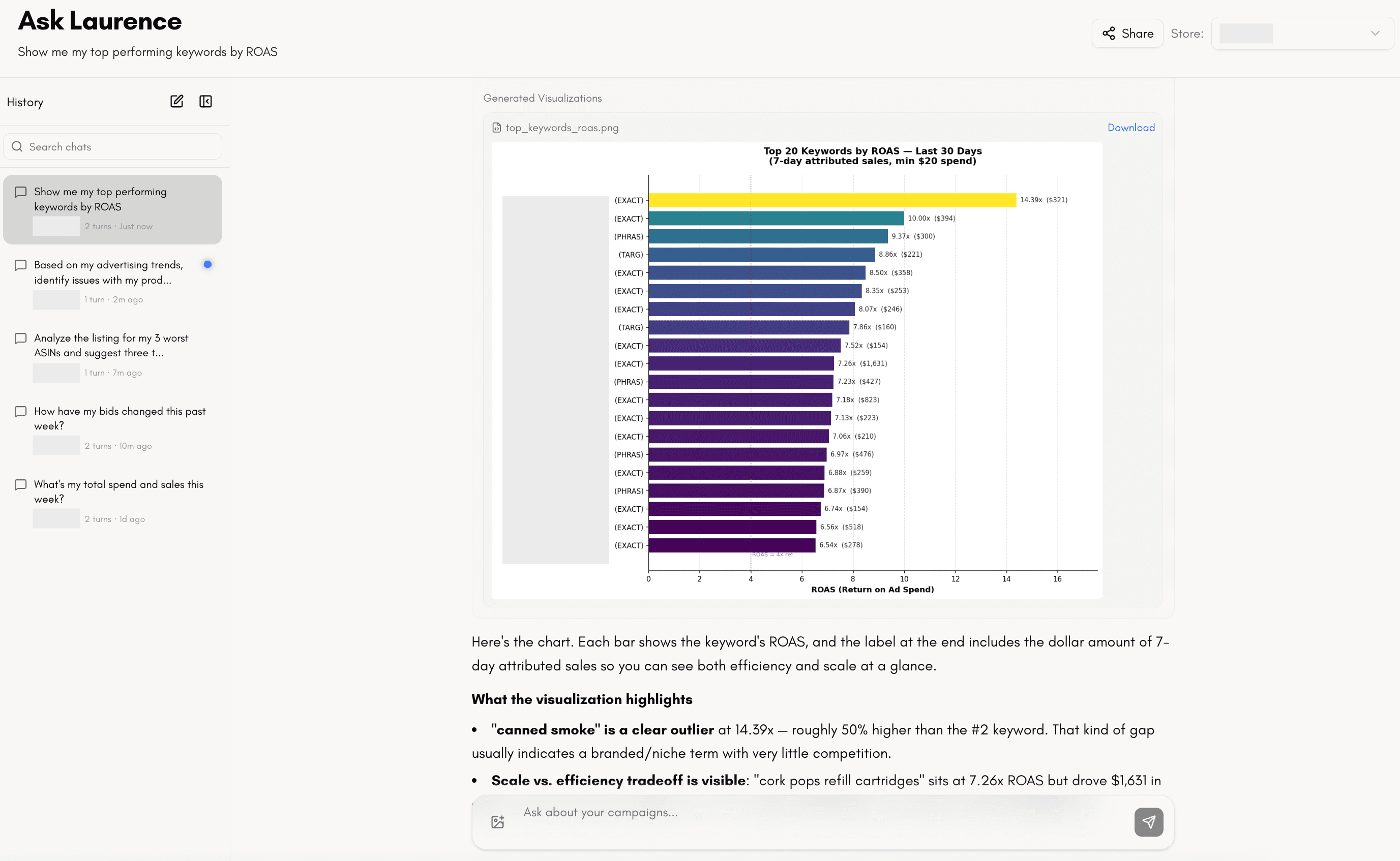
What makes Ask Laurence different from a generic AI chat is the data underneath it. Every question runs against the live Amazon Advertising and Seller Central data Laurence already manages for your account; the same tables that feed your daily report and the bidding pipeline that sets your bids every hour. No copy-paste, no uploads, no asking the model to "imagine" a number. When you ask "what's my TACOS this week?", it queries the real rows.
On top of that, the platform is built for how teams actually work:
- Automations (covered in detail in the next section). Run any Ask Laurence prompt on a schedule, fan it out across the stores you choose, and optionally email the answer to your inbox when it finishes.
- Multiplayer chats (covered in detail below). Share any conversation with a teammate and both of you can ask follow-ups in the same thread.
- Parallel streams. Fire off a question, close the tab, open a new conversation, ask something else; nothing blocks. Every conversation streams independently and a "still thinking" indicator tells you which ones are in flight.
- Image uploads. Drag, drop, or paste a screenshot (a campaign dashboard, a competitor's listing, a chart from another tool) into the composer, and Ask Laurence reasons about it alongside your own live data.
Grounded in the data Laurence already manages
Because Laurence runs your Amazon Ads account, we already ingest, normalize, and keep live every data source you'd want to ask questions about. Ask Laurence reads from exactly that layer (no separate integration for you to set up) scoped to whichever store you pick in the store switcher.
At a high level, every question has access to:
- Campaign performance (live Amazon Ads data). Spend, sales, impressions, clicks, orders, ACOS, ROAS, CTR, CVR, CPC across campaigns, ad groups, keywords, and search terms, updated continuously, not batched overnight.
- Hourly and daily trends. Intraday performance so you can spot spikes and dips as they happen, not a day later.
- Placement breakdown. Top of Search, Rest of Search, and Detail Page performance side by side.
- Bid history. Every bid change Laurence (or you) has made on every keyword, with the performance context around it.
- Total store revenue (Seller Central). Organic vs ad-attributed sales pulled from SP-API, so you can reason about TACOS and not just ACOS.
- Product and listing data. Which ASINs your keywords are advertising, plus live analysis of your Amazon listings against your own keyword performance.
- Market research. Web search for competitors, category benchmarks, and listing best practices.
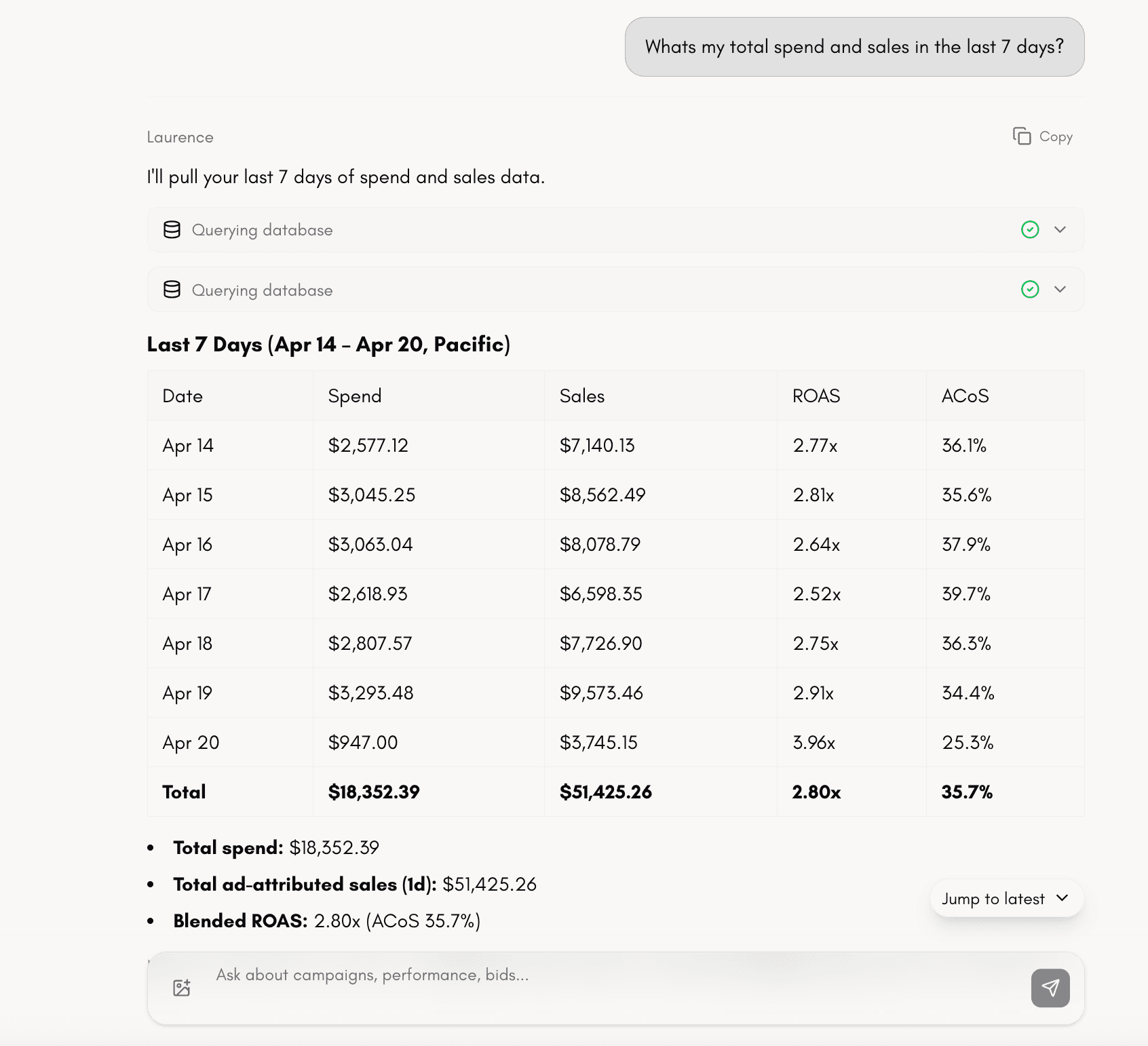
- Custom analysis. Ask Laurence can write and run its own code to do calculations, statistical analysis, and generate charts on top of any of the data above.
You get the same data and the same answers whether you ask inside the platform, read it in the daily report, or query through Laurence MCP in Claude Code, Cursor, or Codex. It's one data layer with three front doors.
Prompts to try on day one: "What's my TACOS for the last 30 days?" · "Compare TOS, ROS, and DP performance this month" · "Which keywords had bids increase by more than 20% this week, and did performance follow?" · "Analyze the listing for my top ASIN and suggest three title changes" · "Plot hourly ACOS for this campaign for the last 7 days and flag hours above 60%."
Automations: Ask Laurence on a schedule, across every store
Automations let you take any prompt you'd type into Ask Laurence and run it on a recurring schedule, fanned out across every store you pick, with each run opening its own conversation you can jump back into. You'll find it in the Automations tab next to Ask at the top of the Ask Laurence page.
Think of it as turning your best ad-hoc analyst questions, "what's my TACOS this week and what moved?", "any keywords where spend doubled but orders dropped?", "summarize this week's top movers and draft the Monday recap", into a standing report that fires every morning, every Monday, or every hour, for all of your stores in parallel, and lands in your inbox.
Why this is important:
- One prompt, every store. Manage 3 stores or 30, write the prompt once, pick the stores, and each scheduled tick opens a separate conversation per store with its own live data. No copy-paste, no "run this for each account."
- Standing reports without dashboards. Instead of logging in to check the same thing every morning, the answer shows up in your inbox, grounded in the same live Amazon Ads and Seller Central data Ask Laurence already uses.
- Team-visible or private. Create automations Only me (just your Ask sidebar) or Team (everyone on the account sees the runs). Each viewer chooses independently whether they also want the email; so a shared automation can quietly email three people without spamming the rest.
- Every run is a real conversation. Automations don't produce dead snapshots; each run opens a full Ask Laurence thread you can follow up in: "dig into the campaign driving that TACOS spike," "draft a Slack recap," "plot this hourly."
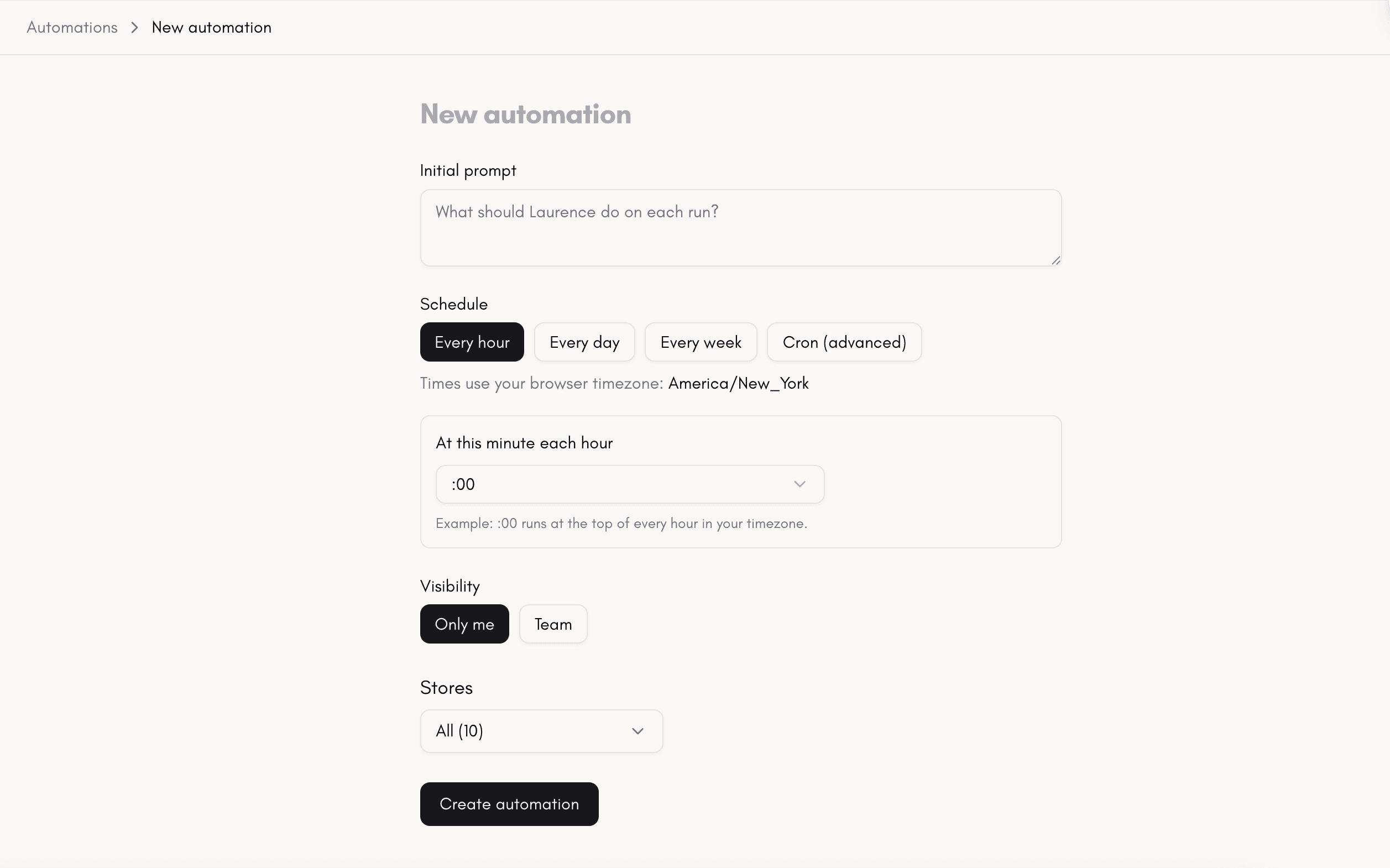
Set one up in about a minute:
- 1. Open Automations. Go to Ask Laurence → Automations → New automation.
- 2. Name it and write the prompt. Use the same plain-English prompt you'd type into Ask, e.g. "Give me this week's TACOS, top 5 movers by spend, and any keyword where ACOS crossed 60%. Draft a one-paragraph Slack recap at the end."
- 3. Pick a schedule. Choose a cadence (hourly, daily, weekly, custom cron) and a timezone, every weekday at 7:00 AM America/Los_Angeles, every Monday at 9:00, or every hour: and Laurence handles the UTC conversion.
- 4. Choose visibility. Only me keeps the automation and its runs private; Team shares them with everyone on your Laurence account.
- 5. Select stores. Multi-select any subset of stores you have access to. Each run will open one conversation per selected store, in parallel, grounded in that store's data.
- 6. (Optional) Email me the response. Flip the toggle and when the first turn of each run finishes, the assistant's answer (including charts and tables) lands in your account email, with a link back to the full conversation. This preference is per viewer, so opting in doesn't email your teammates.
- 7. Create: and optionally hit Run now on the card to fire a test run immediately without waiting for the next scheduled tick.
Ideas for your first automations:
- Daily morning pacing (every weekday 7 AM): "What's yesterday's spend, sales, ROAS, and TACOS vs the 7-day average? Flag any campaign whose ACOS jumped more than 20%. End with a two-sentence summary for the stand-up."
- Weekly top movers (every Monday 9 AM): "Summarize last week's top 10 keywords by spend, call out the biggest ROAS winners and losers, and draft a short recap I can paste into Slack."
- Hourly anomaly watch (every hour): "Check the last 3 hours across all campaigns, alert me if any campaign spent more than $50 with zero orders, or if CVR dropped below 1% on a campaign with >100 clicks."
- Listing health audit (weekly): "For my top 5 ASINs by spend, analyze the live listing against my best-performing search terms and suggest three title or bullet changes per ASIN."
- Bid-change debrief (daily): "List every keyword Laurence's bidding pipeline moved more than 25% in the last 24 hours, with the performance context that triggered it."
- Multi-store client recap (weekly, team-visible): "Draft a client-ready one-pager: this week's spend, sales, ROAS, TACOS, top movers, and one recommendation, per store."
Because automations run against the same live data layer Ask Laurence uses, store-level access rules still apply: a teammate who can't see a given store won't see that store's run, even inside a team-visible automation.
How to get started
There's nothing to install. If you're a Laurence customer, open the platform, click Ask Laurence in the sidebar, pick your store, and ask your first question. Conversations autosave, new ones start with a single click, and sharing is a button in the top-right of any thread.
Want to put a question on a schedule? Switch to the Automations tab at the top of the Ask page, click New automation, and you'll have a standing report running across every store you pick in under a minute.
Prefer your IDE? The same tools against the same live data are exposed over Laurence MCP, so you can ask the same questions inside Claude Code, Cursor, or Codex without leaving your terminal.