Laurence MCP: Amazon Ads data in Claude Code, Cursor, and Codex
 ×
×
Bring your Amazon Ads data into Claude Code, Cursor, or Codex. Ask natural-language questions, pull campaigns and metrics, and reason over bids and search terms.
What it is
Laurence MCP is available to all Laurence customers. It connects coding assistants to your advertising data through the Model Context Protocol (MCP); the same pattern Cursor and Claude use for tools like browsers or databases. Instead of pasting exports or screenshots, the assistant can call a small set of read-only tools backed by Amazon Ads APIs and ClickHouse; the same sources Ask Laurence uses; so answers are grounded in your numbers. Because Laurence already ingests and stores your Amazon Marketing Stream data, there is nothing extra to set up.
Connecting is a normal browser sign-in. The first time a tool runs, you log in with your Laurence account and approve access once. After that, sessions stay usable for ongoing work in the IDE; you are not wiring tokens by hand.
Every tool call is scoped to your company: you sign in once, choose your company on the consent screen, and the server only returns that company’s data. The grant is read-only — an agent can see campaigns, keywords, and spend, and can never change campaigns, bids, or budgets.
Amazon Marketing Stream: the data Amazon’s MCP doesn’t cover
Amazon launched their own Ads MCP Server in February 2026 with 50+ tools for campaign management, reporting, DSP, and AMC. It is a big step for letting AI agents manage ad accounts. But it does not cover Amazon Marketing Stream (AMS); the real-time hourly event firehose of impressions, clicks, cost, conversions, and placements at keyword granularity.
Even for the data Amazon’s MCP does cover, getting performance metrics is slow. Their reporting tools generate new reports on demand or execute AMC workflows from scratch — you submit a request, wait for it to process, poll until it’s ready, then retrieve the result. That round-trip can take minutes per question. Laurence queries return in seconds — over 5× faster than waiting for Amazon Ads report generation and polling cycles. It is the difference between a fast analytical conversation and a batch job.
AMS is the richest advertising performance data Amazon offers, but to use it you need to set up your own SNS → SQS → Lambda pipeline, land the data in a warehouse like ClickHouse, and build a way to query it. Most advertisers never get there.
Laurence MCP gives AI agents direct access to pre-stored AMS data (hourly and daily rollups, search term reports, bid observations, keyword state) all queryable in seconds from ClickHouse, not generated on the fly. Your data is already flowing through Laurence and landing in storage; the MCP server just lets your AI tools query it the same way Ask Laurence does internally. No pipeline setup, no report generation waits.
Why use it in Cursor or Claude Code
MCP turns the assistant into a research and analysis teammate inside the repo: you stay in one place, terminal, chat, or inline, and iterate with code, notes, and live campaign context together. That is different from switching to a separate tab to copy tables or writing one-off scripts for every question.
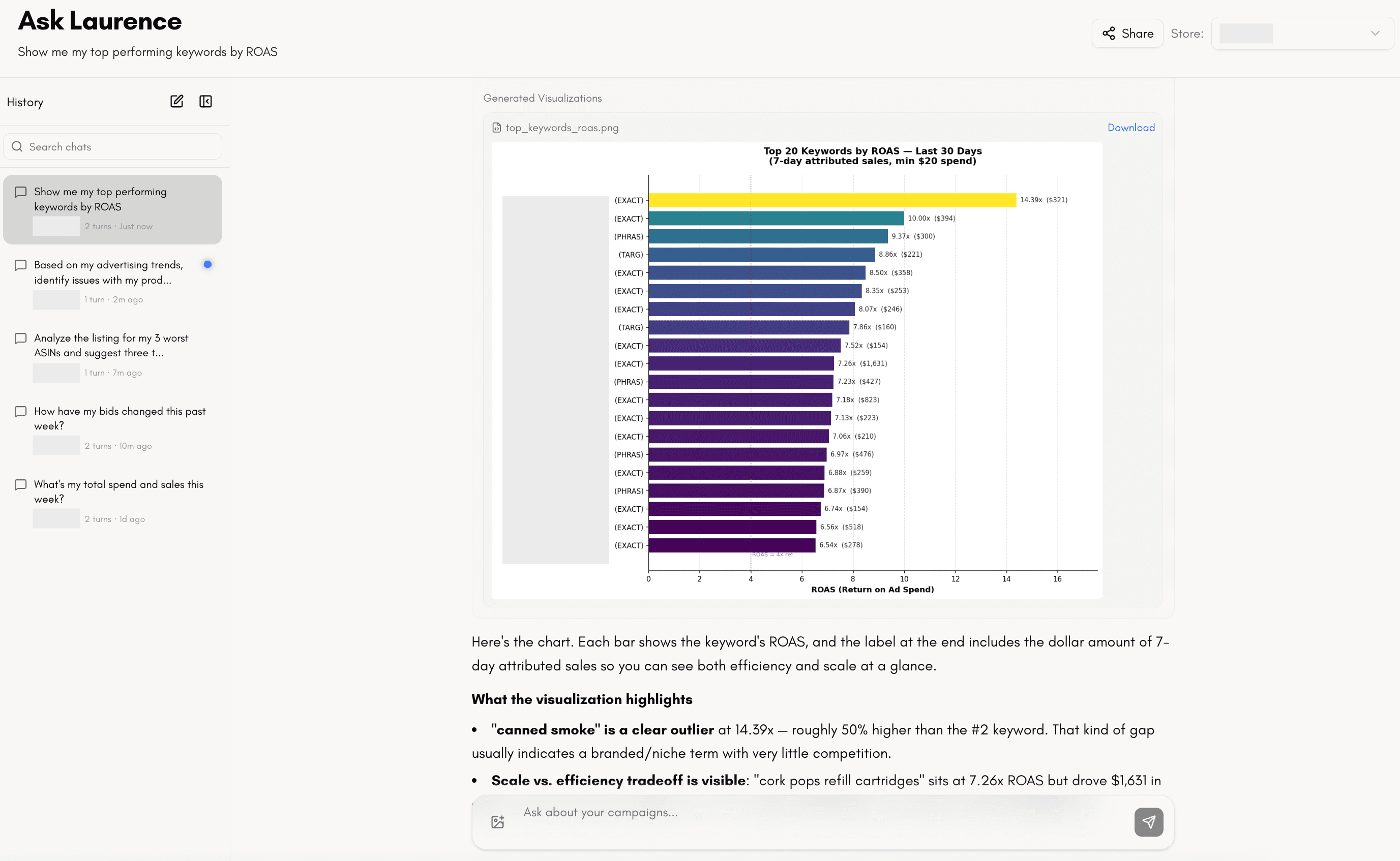
Ask Laurence in the web UI is there when you are already in the product, but day to day, most people’s workflows still center on an IDE or terminal, not another browser tab. Laurence MCP meets you where you can do your best work by bringing the same data into whichever AI agent you already use (Cursor, Claude Code, Codex, and whatever comes next), so you get one continuous place to think, build, and reason over performance instead of splitting attention across disconnected surfaces.
Example prompts you can actually use: “Which campaigns had the highest spend last week?” “Pull the hourly trend for yesterday and flag the hours where spend spiked.” “Show me search terms with clicks but no orders in the last 14 days.” “What did Laurence change on my account this week?” “Which companies can I ask about?”
Start with list_companies if you are unsure what your login can see; every other tool takes an optional company selector for logins that belong to several companies.
Tools
The surface is 25 read-only tools at parity with Ask Laurence — the same calibrated answers the hosted agent uses, company-scoped end to end.
| Tool | Purpose |
|---|---|
list_companies | The companies your login can ask about (start here when unsure). |
get_ad_spend | The calibrated ad-performance answer: spend, ad sales, ACOS/TACOS over any window. |
get_total_sales | What the store actually sold, all channels combined. |
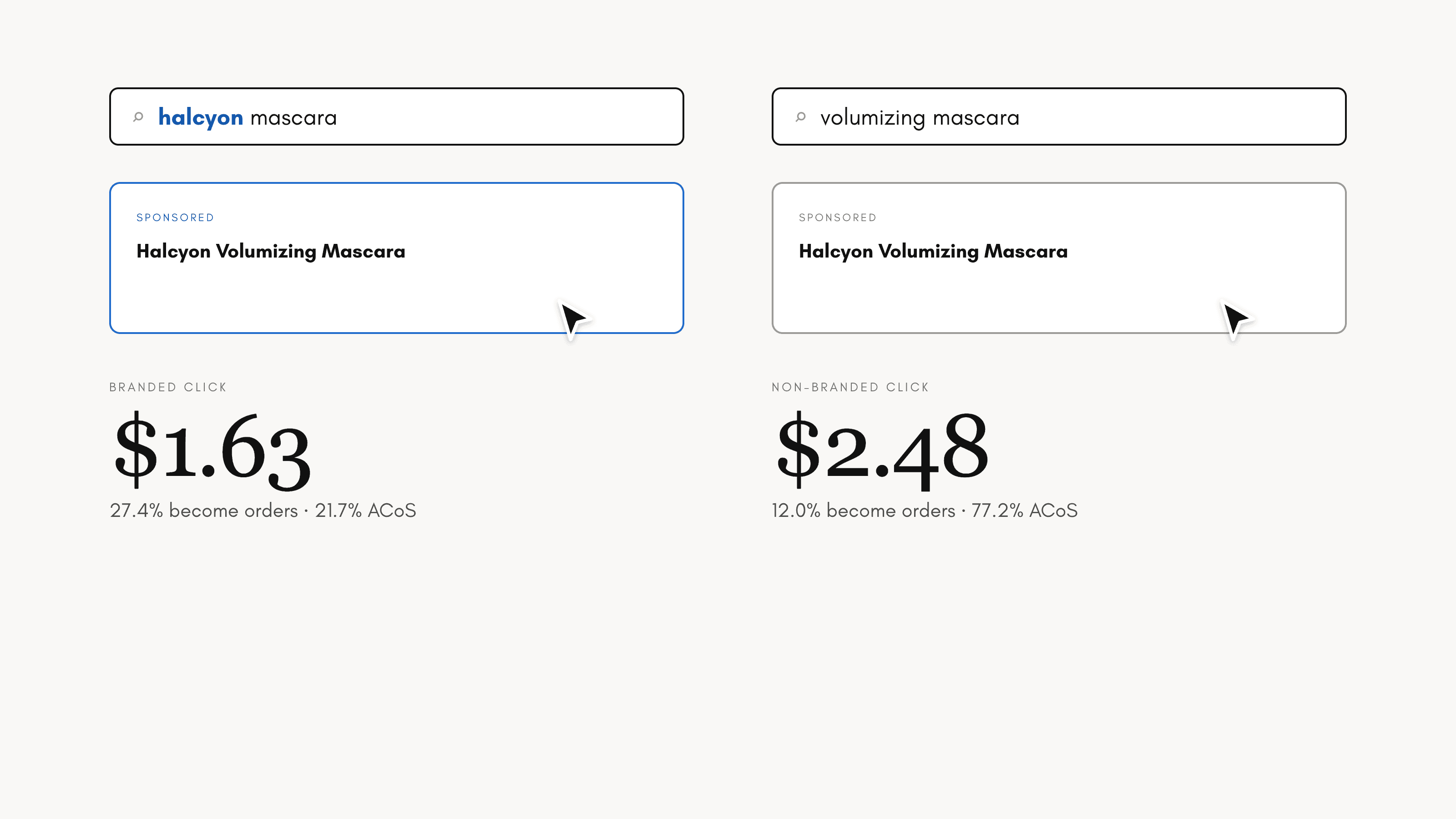
get_branded_split | Branded vs non-branded advertising performance. |
get_kpi_scorecard | The store’s KPI scorecard, exactly as the dashboard shows it. |
get_cac | Blended and paid customer-acquisition cost. |
get_ltv | Modeled long-term customer value for the store’s products. |
get_entity_performance | The per-product advertising report table. |
get_placement_performance | Performance by placement — Top of Search, Rest of Search, Product Pages. |
get_search_term_data | Search-term report: the queries that matched your targeting, with attributed performance. |
get_search_term_insights | Diagnostic views over shopper search activity. |
get_keyword_story | One target’s full story: lineage, bid history, and performance. |
get_system_activity | What Laurence did in a window: keywords harvested, bids moved, negatives placed. |
get_hourly_trend | Hour-by-hour spend, impressions, and clicks for a single day. |
get_daily_sales | Daily units and revenue from seller sales data. |
get_organic_sales_rank | Daily Best Sellers Rank history per product. |
get_campaigns | Campaigns across Sponsored Products, Brands, and Display. |
get_ad_groups | Ad groups for a campaign. |
get_campaign_keywords | Keywords and bids for campaigns. |
get_campaign_negative_keywords | Negative keywords for ad groups. |
get_campaigns_for_asin | Every campaign advertising a given ASIN, pre-Laurence campaigns included. |
get_asin_info | Catalog details for one or more ASINs. |
get_keyword_asin_mapping | Which keywords advertise which products. |
get_fba_inventory | Live FBA inventory per product. |
get_account_profile | The store’s account card: brand terms, targets, and settings. |
Install: Claude Code
Add the server once per machine; then in any Claude Code session you can ask for campaigns, metrics, or search terms and let the agent pull the data directly.
From a terminal, add the remote MCP server over HTTP (replace the URL if your deployment differs):
claude mcp add --transport http laurence https://mcp.laurence.com/mcpInstall: Cursor
In Cursor Settings → MCP, register the Laurence server so Agent and chat can invoke the tools alongside your codebase, useful when you are debugging bidding logic or writing reports against live account data.
Add a server named laurence pointing straight at the HTTPS endpoint — current Cursor versions speak remote MCP with OAuth natively, so no local proxy is needed:
{
  "mcpServers": {
    "laurence": {
      "url": "https://mcp.laurence.com/mcp"
    }
  }
}
Install: Codex
OpenAI Codex supports MCP servers via both the CLI and the IDE extension. Add Laurence as a streamable HTTP server, configuration is shared between the CLI and extension, so you only set it up once.
Option 1: CLI:
codex mcp add laurence --url https://mcp.laurence.com/mcpOption 2: config.toml (edit ~/.codex/config.toml or a project-scoped .codex/config.toml):
[mcp_servers.laurence]
url = "https://mcp.laurence.com/mcp"
Then run codex mcp login laurence --scopes laurence:mcp to start the browser OAuth flow. Once authenticated, run codex mcp or use /mcp in the terminal UI to verify the server is connected.
After connecting
The first time the assistant needs data, your browser opens so you can sign in with your Laurence login, choose your company, and approve read-only access once. After that, you can keep asking questions in Cursor, Claude Code, or Codex without repeating that step for every message.